
To file GSTR-1 as a Meesho seller, download the GST Sales report and the Sales Return report from the Meesho Supplier Panel (Reports → GST Reports), take the returns off your sales, and report the result as B2C (Others) in Table 7 — state-wise and rate-wise. The same sales go in Table 14 against Meesho's GSTIN, with an HSN summary in Table 12 and your invoice series in Table 13. Meesho collects 0.5% TCS on your net sales, which you match with the TCS credit on the GST portal.
TaxGen builds all of this from the two Meesho reports and can file it on the GST portal for you with AutoFile — ₹99 a return. This guide explains each part, so you know what is being filed either way.
Which Meesho reports you need
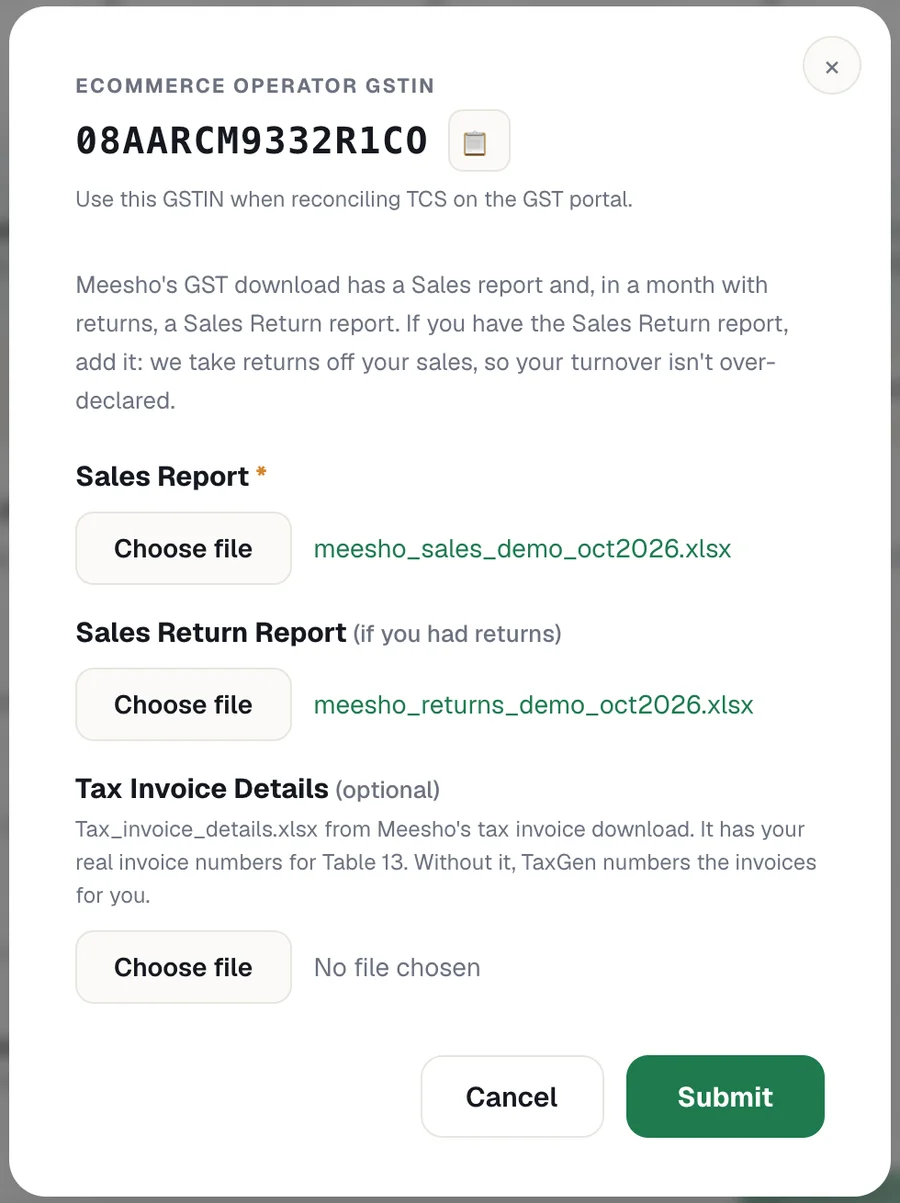
- Sales report (required): Meesho Supplier Panel → Reports → GST Reports. Each row is a sub-order with the customer's state, the GST rate, the taxable value, the tax, the HSN code and Meesho's TCS GSTIN.
- Sales Return report (if you had returns that month): from the same GST Reports download. Returns are taken off your sales, so your turnover is not over-declared.
- Tax_invoice_details.xlsx (optional): comes with Meesho's tax invoice download and has your real invoice numbers for Table 13. Without it, TaxGen numbers the invoices for you and tells you so.
Download the reports for the same month you are filing. For a quarterly (QRMP) return you need all three months of the quarter.
Where Meesho sales go in GSTR-1
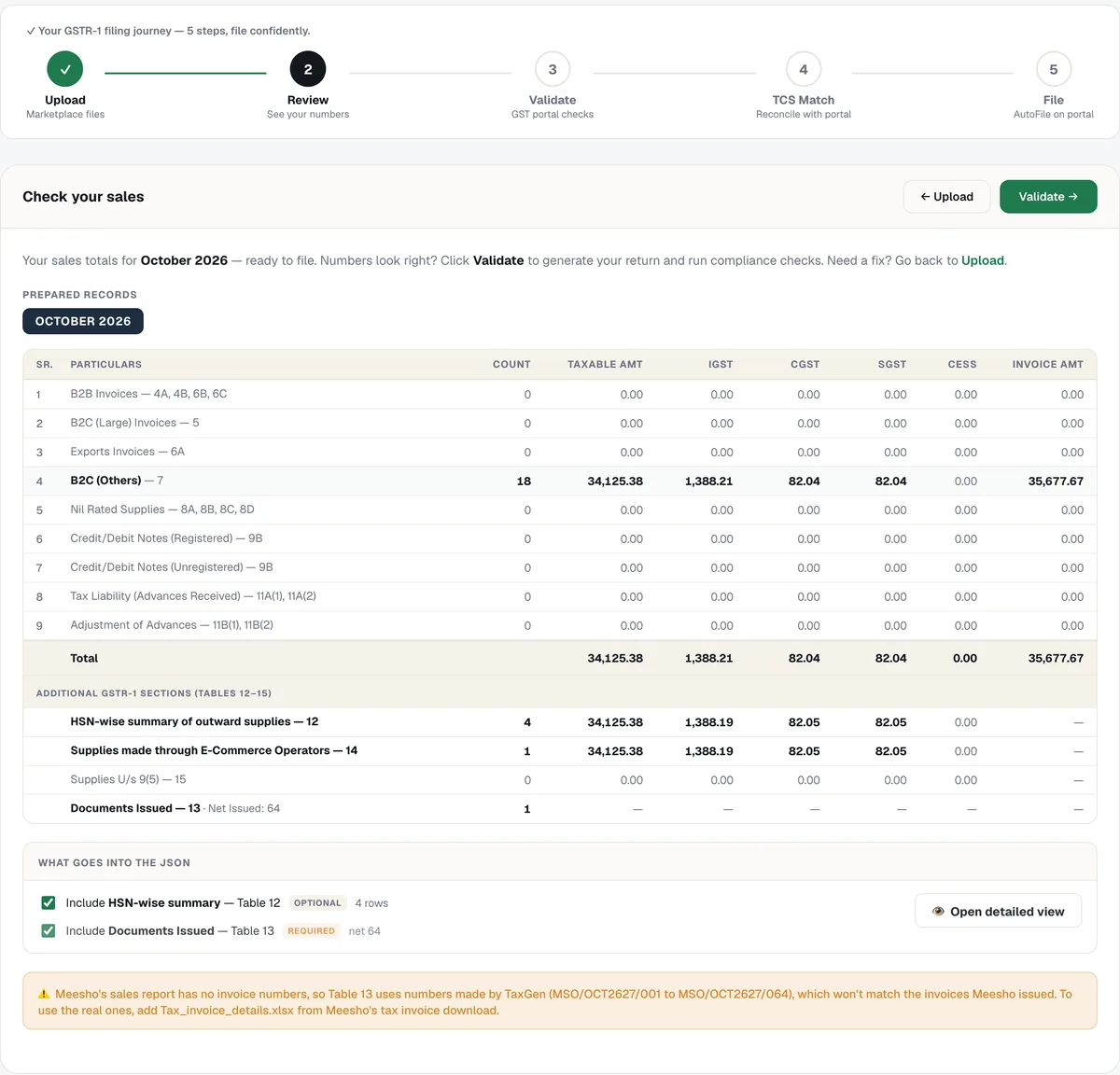
- Table 7 — B2C (Others): Meesho buyers are consumers, so sales are reported state-wise and rate-wise, not invoice by invoice. The place of supply is the customer's state: sales within your own state carry CGST and SGST, sales to other states carry IGST.
- Table 12 — HSN-wise summary: each HSN code and GST rate with its quantity, taxable value and tax. The GST portal rejects a blank HSN code.
- Table 13 — Documents issued: the invoice series for the month, with the number of invoices issued and cancelled.
- Table 14 — Supplies through e-commerce operators: your total Meesho sales and tax against Meesho's GSTIN.
- Sales returns: taken off the sales of the same state and rate, so Table 7, Table 12 and Table 14 all show net sales.
Meesho's GSTIN and TCS
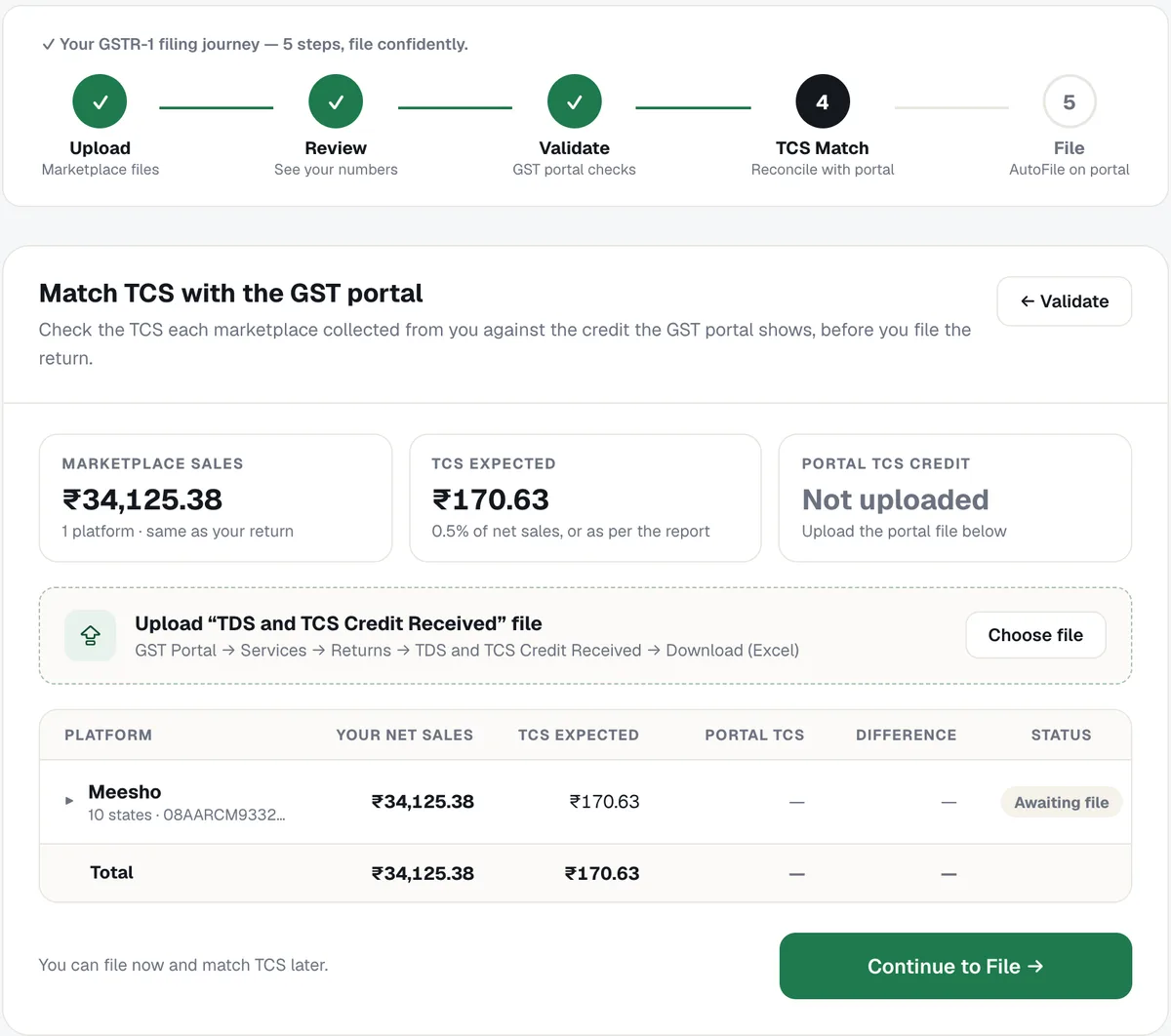
Meesho is an e-commerce operator and collects TCS from your payouts at 0.5% of your net taxable sales (the rate since 10 July 2024; it was 1% before that). It reports this TCS against your GSTIN, and the credit shows on the GST portal under Services → Returns → TDS and TCS Credit Received.
Meesho has a TCS registration in every state, all under the PAN AARCM9332R. The one to use in Table 14 is the GSTIN for your own state — for example 08AARCM9332R1CO for a seller in Rajasthan and 07AARCM9332R1CQ in Delhi. TaxGen fills the right one from your GSTIN.
Before you file, compare the TCS Meesho collected with the credit on the portal. If they differ, it does not change your GSTR-1 — raise it with Meesho so the credit on the portal is corrected.
How to file Meesho GSTR-1 with TaxGen, step by step
1. Add your GSTIN and pick the month
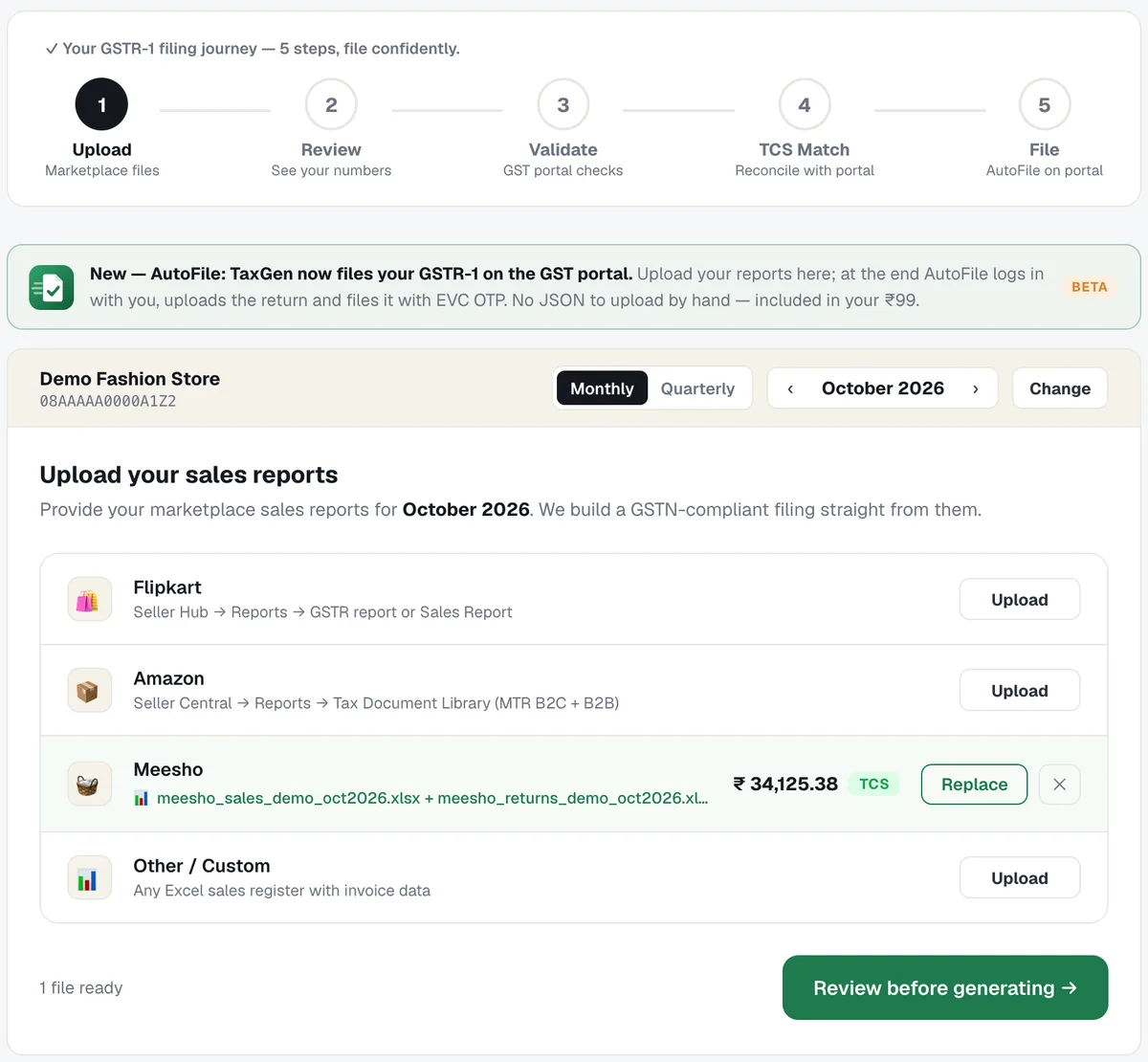
Enter your GSTIN once, choose monthly or quarterly (QRMP), and pick the month you are filing.
2. Upload the Meesho reports
Add the Sales report and, if you had returns, the Sales Return report. TaxGen reads them and shows your net Meesho sales straight away. You can add Amazon, Flipkart or other sales in the same return.
3. Review the tables and run the checks
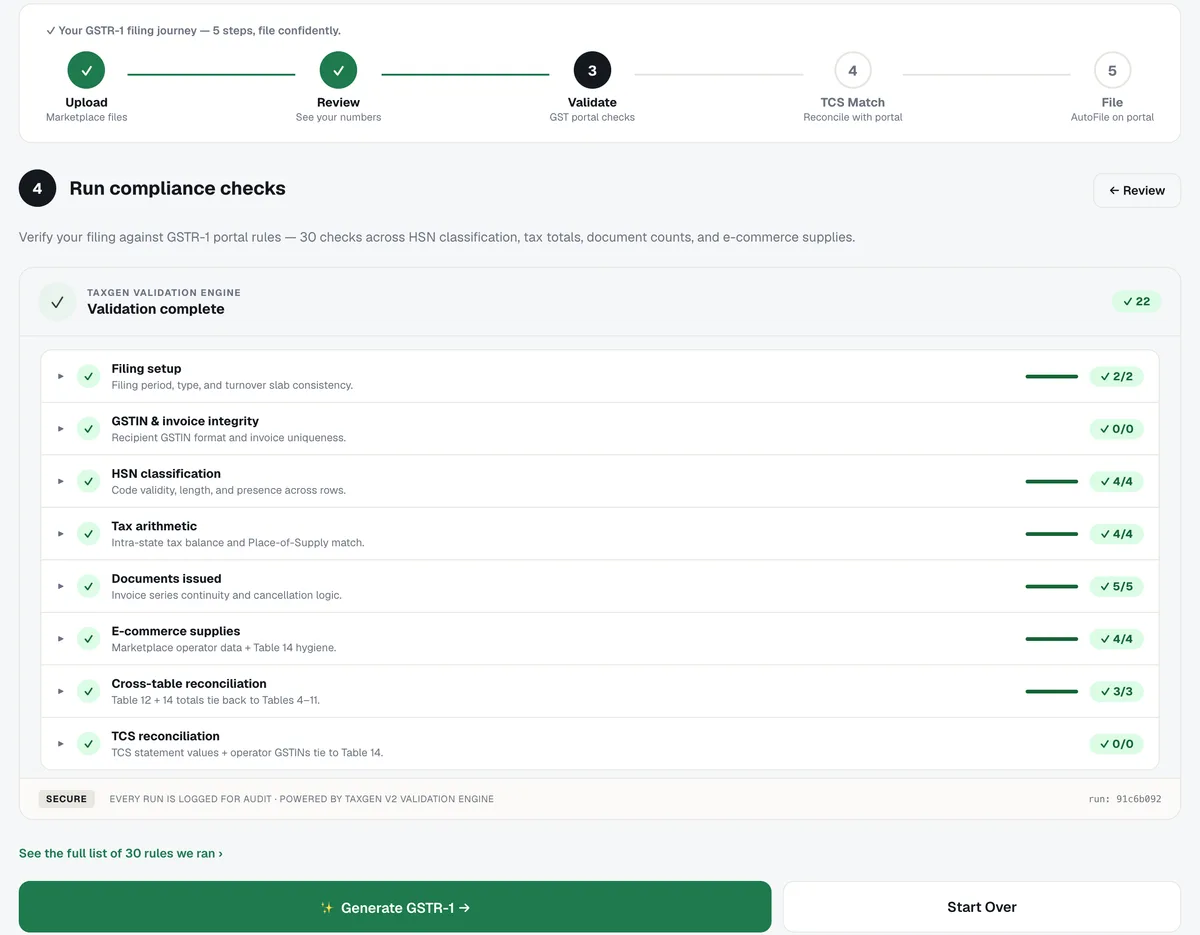
Check Table 7, 12, 13 and 14, then run about 30 GST portal checks — HSN codes, tax arithmetic, place of supply, documents issued and e-commerce supplies. Wrong HSN codes can be fixed right there.
4. Match Meesho's TCS with the portal
Upload the TDS and TCS Credit Received file from the GST portal to compare it with Meesho's TCS, or file now and match it later.
5. File the return
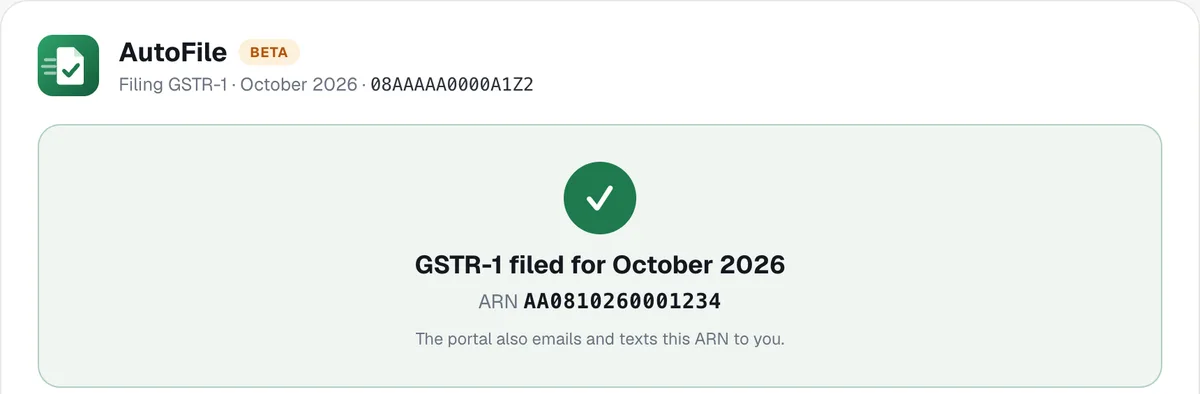
File with AutoFile — you sign in to the GST portal and approve with your EVC OTP, and TaxGen does the uploading in between — or download the JSON and upload it yourself on the portal. Either way it is ₹99 a return.
Common mistakes Meesho sellers make in GSTR-1
- Reporting Meesho sales as B2B: Meesho buyers are consumers, so these are B2C sales.
- Leaving out Table 14: sales through Meesho must also be shown against Meesho's GSTIN.
- Not taking off returns: filing gross sales over-declares your turnover and your tax.
- Using a GSTIN from another state for Meesho: Table 14 needs Meesho's GSTIN for your state.
- Blank or wrong HSN codes: the portal rejects a blank HSN code, and wrong ones show up against your HSN summary.
- Ignoring a TCS mismatch: if the credit on the portal is lower than what Meesho collected, raise it with Meesho.
Frequently asked questions
Q1. Do Meesho sellers need to file GSTR-1 if Meesho already collects TCS?
Yes. TCS is tax Meesho collects from your payouts and credits to you; it does not replace your own return. Every GST-registered Meesho seller files GSTR-1 for each month or quarter, including months with no sales.
Q2. Are Meesho sales B2B or B2C in GSTR-1?
B2C. Meesho buyers are consumers, so the sales go in Table 7, B2C (Others), grouped by the customer's state and the GST rate, and also in Table 14 against Meesho's GSTIN.
Q3. What is Meesho's GSTIN for Table 14?
Meesho's TCS GSTIN for your state: your state code, then the PAN AARCM9332R, then 1C and a check character. For example, 08AARCM9332R1CO in Rajasthan and 07AARCM9332R1CQ in Delhi. TaxGen fills it from your GSTIN.
Q4. How much TCS does Meesho collect?
0.5% of your net taxable sales — sales less returns — since 10 July 2024. Before that the rate was 1%.
Q5. Where do I download the Meesho GST report?
In the Meesho Supplier Panel, under Reports → GST Reports. Download the Sales report and the Sales Return report for the month you are filing.
Q6. What is the due date for GSTR-1?
The 11th of the next month for monthly filers. Quarterly (QRMP) filers file by the 13th of the month after the quarter ends.
Q7. Can TaxGen file my Meesho GSTR-1 automatically?
Yes. TaxGen prepares GSTR-1 from your Meesho reports and AutoFile files it on the GST portal; you sign in and approve with your EVC OTP. It costs ₹99 a return per GSTIN, or ₹999 a year, with AutoFile included.
Ready to file? Open the GSTR-1 tool, upload your Meesho reports and see your return before you pay.