
Yes. TaxGen does more than make a GSTR-1 JSON: its AutoFile feature files your GSTR-1 on the GST portal for you. You sign in to the portal yourself and approve the filing with your own EVC OTP; TaxGen does every step in between. It costs ₹99 a return per GSTIN (or ₹999 a year), and AutoFile is included.
This guide explains exactly what AutoFile does, what stays in your hands, and when you might still prefer to upload the JSON yourself.
What is AutoFile?
AutoFile is TaxGen's GST portal filing feature for GSTR-1. After TaxGen has built your return from your Amazon, Flipkart or Meesho sales reports, AutoFile takes it to the GST portal and files it — the same steps you or your CA would click through, done for you while you watch.
AutoFile is built for e-commerce sellers who file GSTR-1 every month (or every quarter under QRMP) and do not want to depend on a CA for a routine return.
How AutoFile files your GSTR-1, step by step
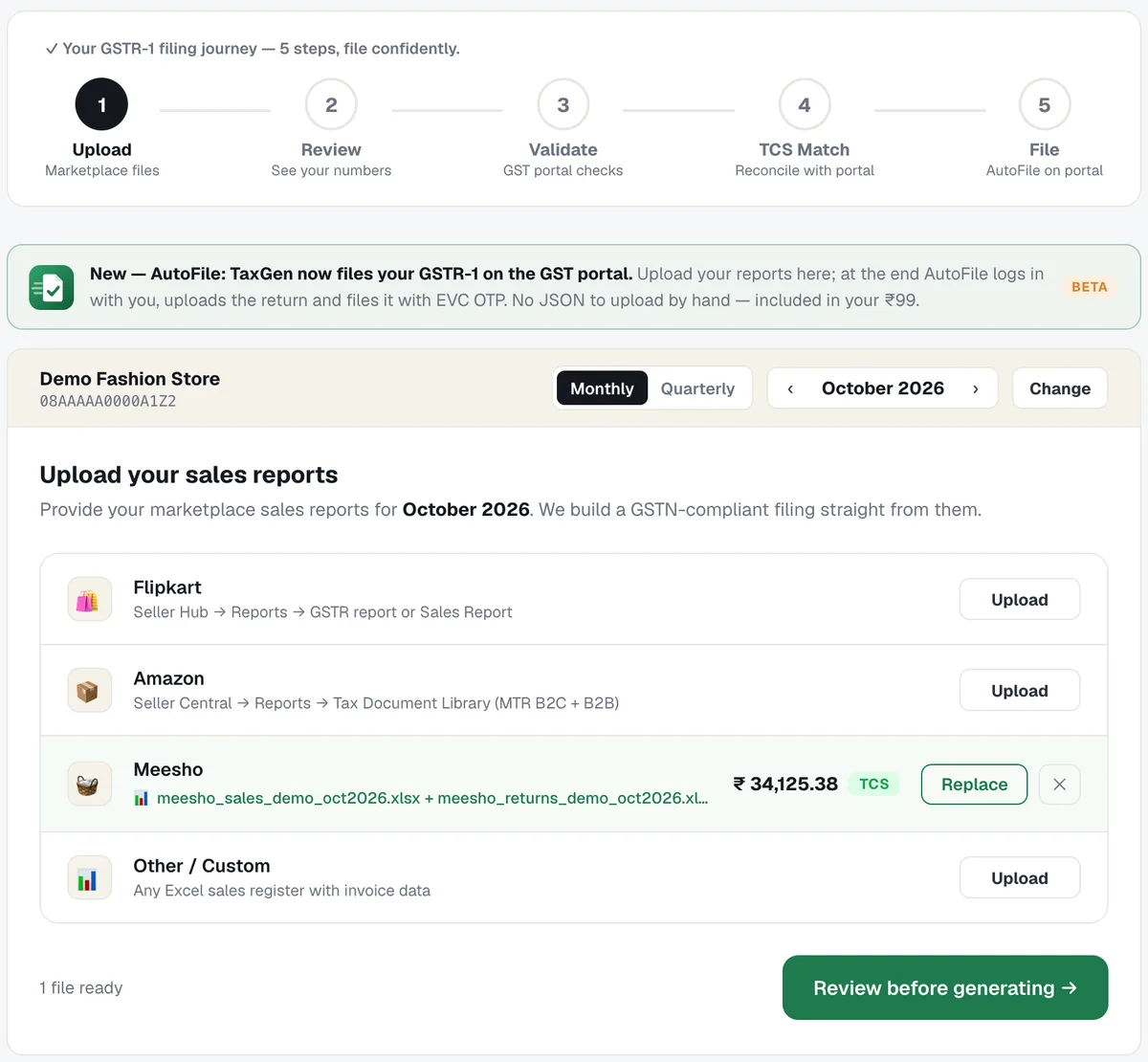
1. Upload your marketplace sales reports
Pick the month and add your Amazon, Flipkart or Meesho reports — or any Excel sales register. TaxGen reads them and shows the taxable value per marketplace straight away.
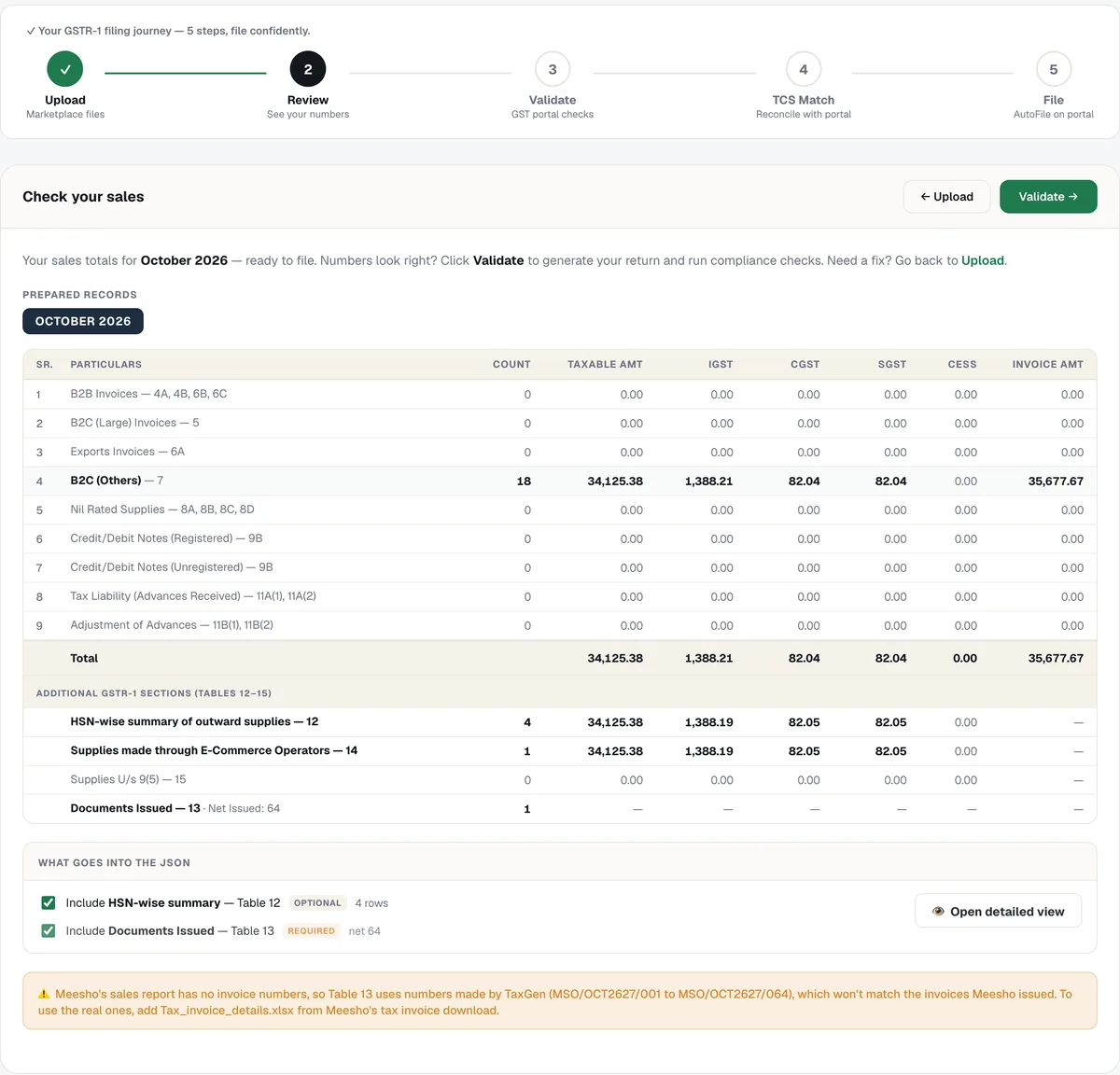
2. Review the GSTR-1 tables
TaxGen builds every table of the return — B2B, B2CL, B2CS, credit and debit notes, HSN summary, documents issued and Table 14 — so you can check the numbers before anything is generated.
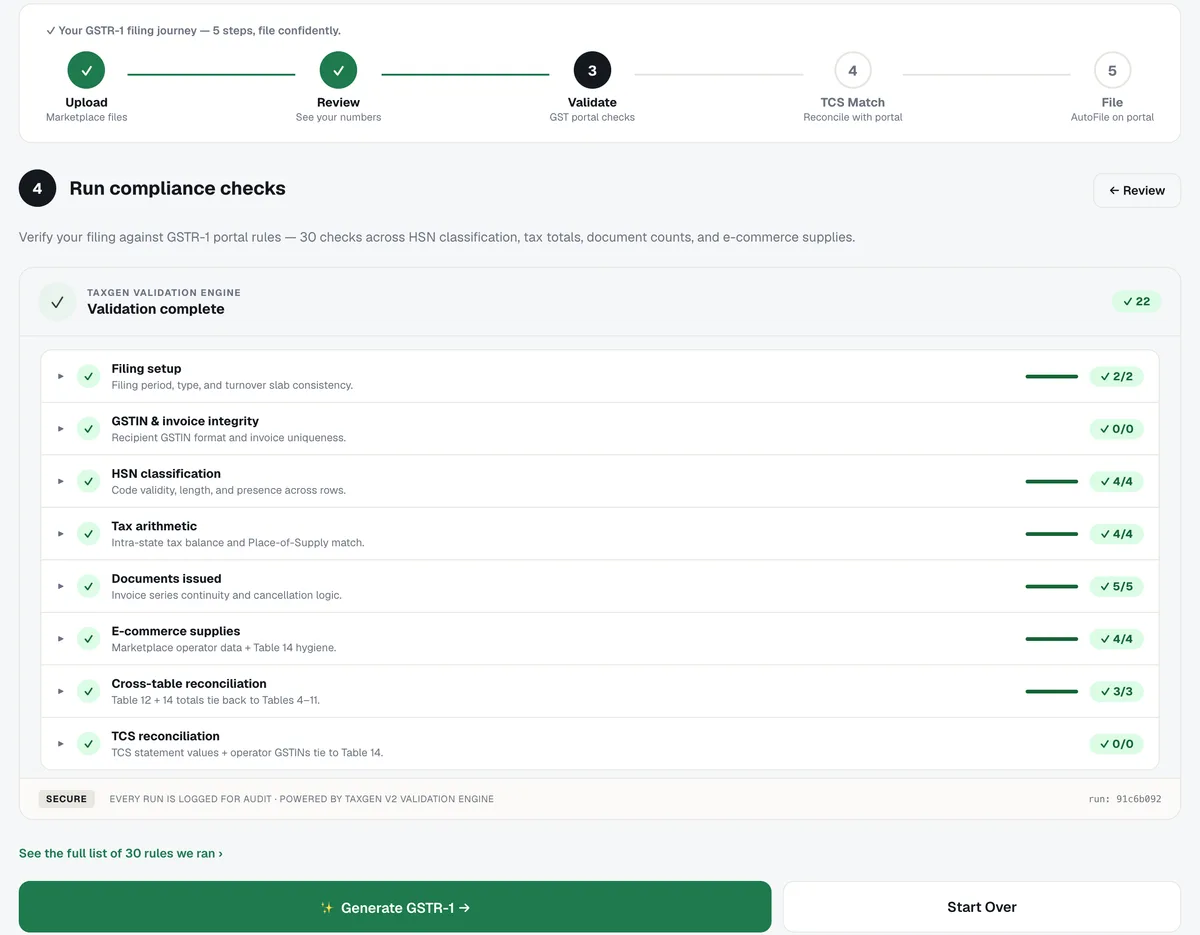
3. Run the GST portal checks
About 30 validation checks run on the return: filing setup, GSTIN and invoice integrity, HSN codes, tax arithmetic, documents issued, e-commerce supplies and cross-table totals. Wrong HSN codes can be fixed right there.
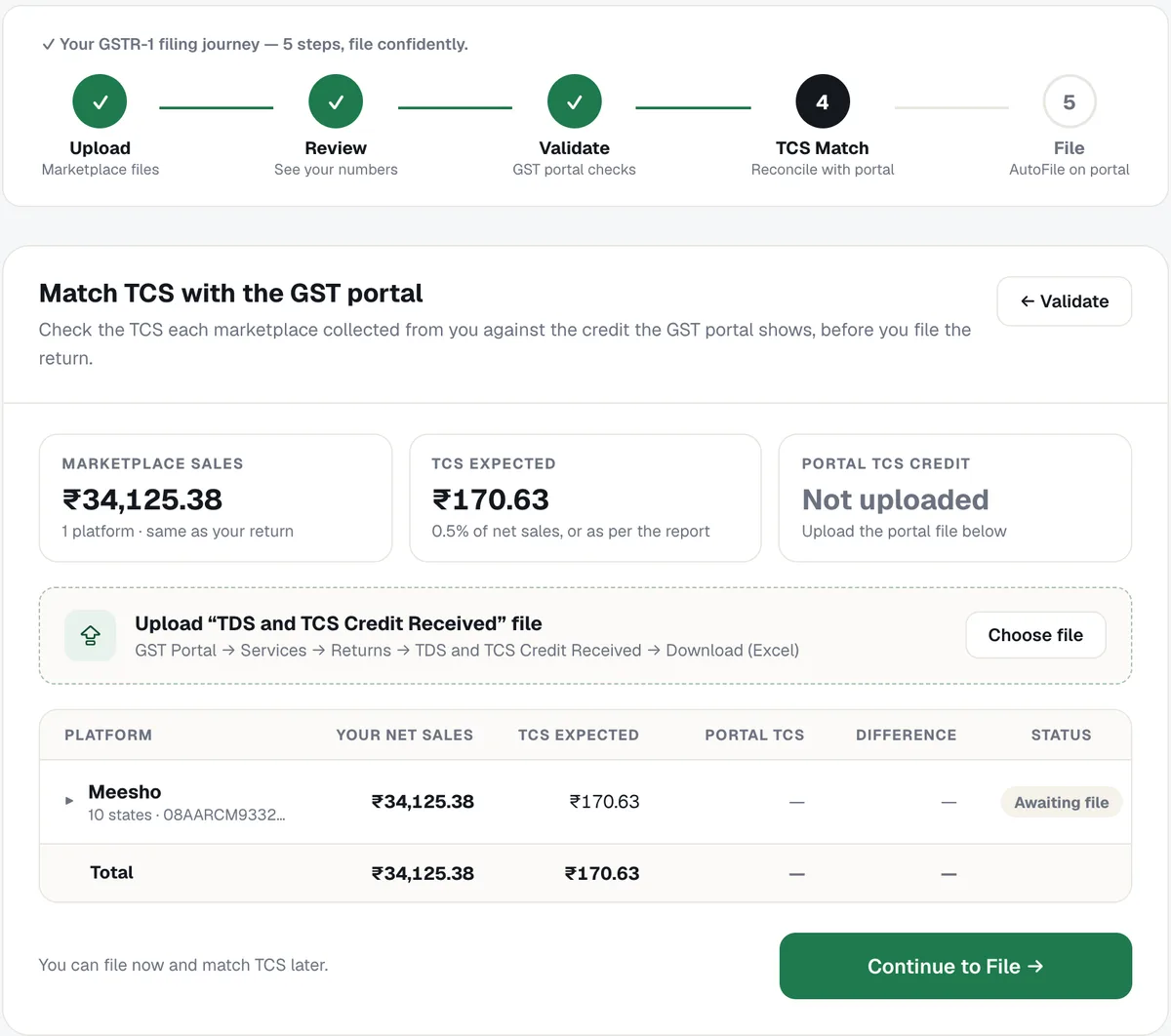
4. Match marketplace TCS with the portal
The TCS each marketplace collected from you is compared with the TCS credit the GST portal shows, so a mismatch is caught before you file. You can also file now and match TCS later.
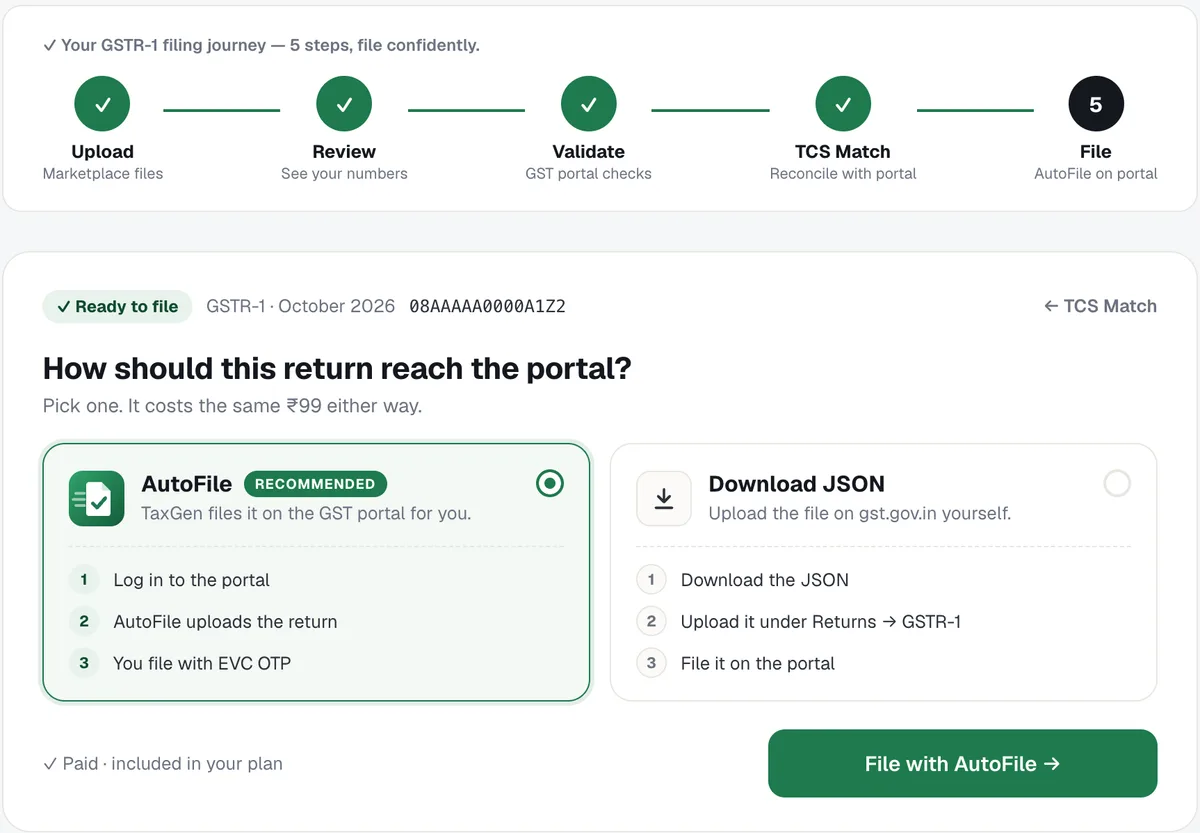
5. Choose AutoFile
The return is ready. Choose AutoFile to have TaxGen file it on the portal, or download the JSON and upload it yourself. The price is the same either way.
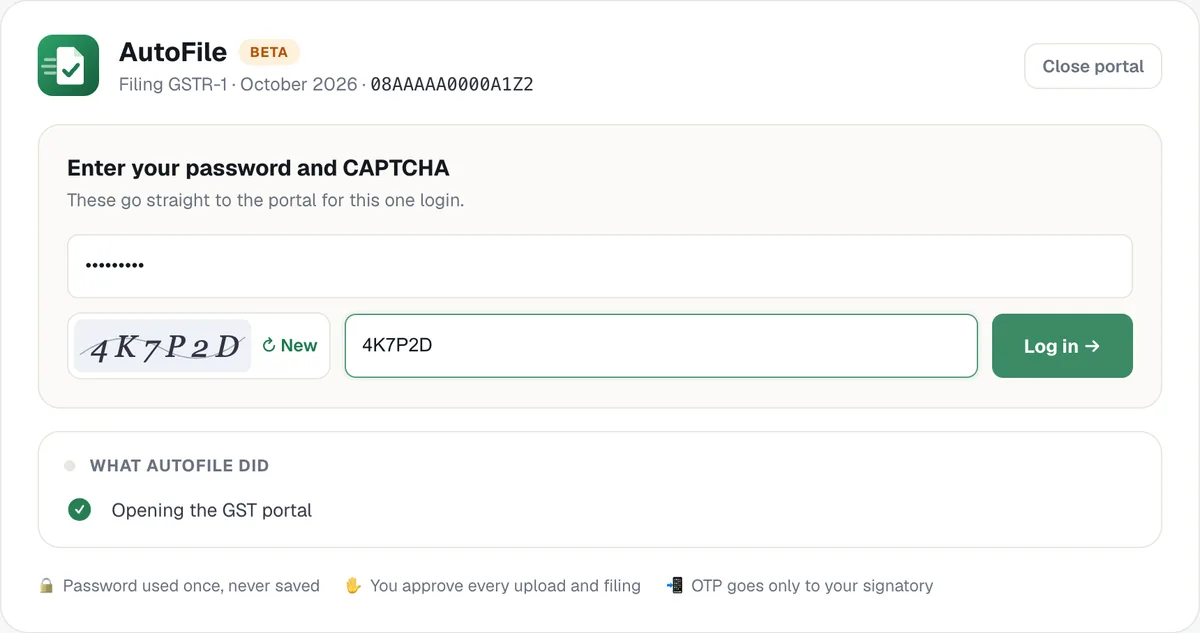
6. Sign in to the GST portal
You enter your GST portal username, password and the CAPTCHA inside TaxGen. The password is used for that one login and is never stored.
7. Upload, summary and review on the portal
AutoFile opens the Return Dashboard for your month, uploads the return through Prepare Offline and waits until the portal has processed it, generates the GSTR-1 summary, and opens the filing page so you can check the portal's totals before anything is filed. Each step is listed as it happens.
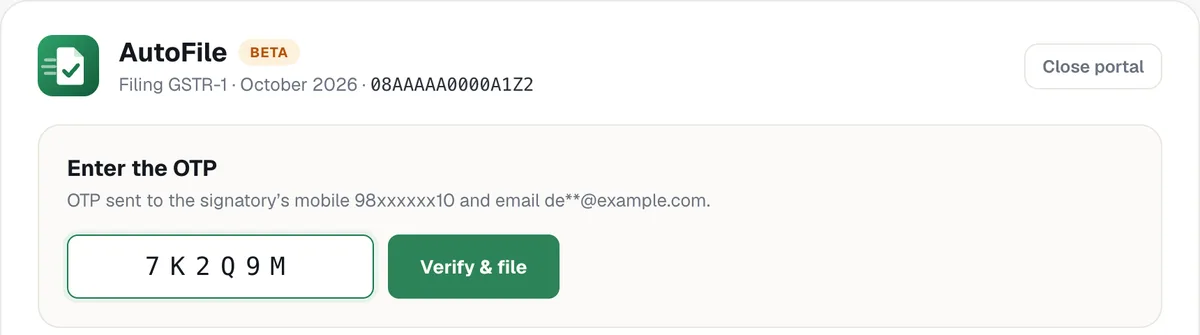
8. File with EVC OTP
You choose the authorised signatory, the portal sends an OTP to them, and you enter it. Nothing is filed before this step.
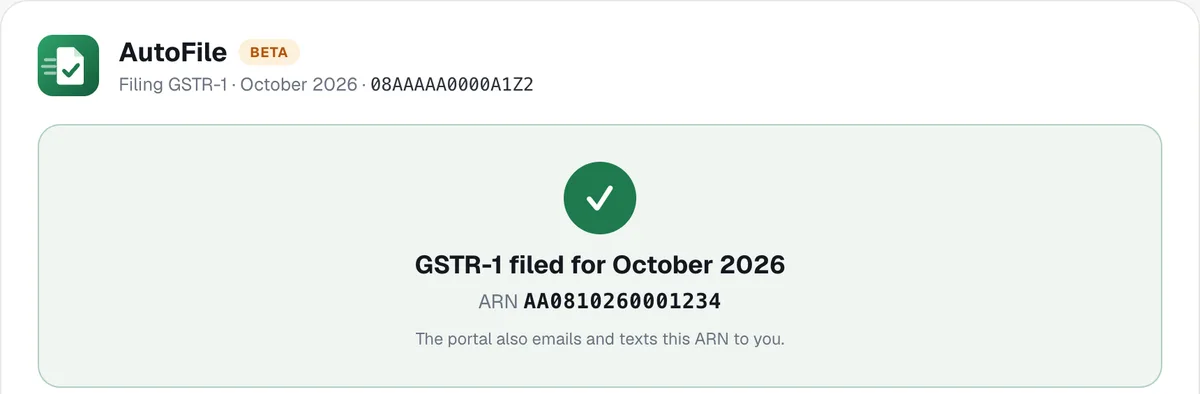
9. Get the ARN
The return is filed and TaxGen shows the ARN. The portal also emails and texts it to you.
What stays in your control
- Your password, the CAPTCHA and the OTP are always typed by you. TaxGen never stores the password.
- Nothing is filed until you enter the EVC OTP.
- If the GST portal shows a question or pop-up that needs your decision, AutoFile stops and shows it to you instead of answering for you.
- You can stop at any step and finish on the portal yourself.
What TaxGen checks before filing
- Every GSTR-1 table: B2B, B2CL, B2CS, credit and debit notes, HSN summary, documents issued and Table 14 (supplies through e-commerce operators).
- About 30 GST portal validation checks, including GSTIN format, place of supply, tax rates and HSN codes against the portal's HSN master.
- Marketplace TCS: what Amazon, Flipkart and Meesho reported to the portal is matched with your sales, so a mismatch is caught before you file.
AutoFile or manual JSON upload?
Both use the same return. With AutoFile, TaxGen files it on the portal and you only approve with your OTP. With the manual route, you download the portal-ready JSON and upload it yourself under Returns → GSTR-1 → Prepare Offline, then generate the summary and file. Manual upload needs no password in TaxGen; AutoFile saves the clicking and the waiting.
Price
- ₹99 per GSTR-1 return, per GSTIN — monthly or quarterly.
- ₹999 per GSTIN for a year.
- AutoFile is included in both. There is no separate filing fee.
Frequently asked questions
Q1. Is TaxGen only a GSTR-1 JSON generator?
No. TaxGen prepares GSTR-1 from your marketplace reports and files it on the GST portal with AutoFile. The JSON download is there if you prefer to upload it yourself.
Q2. Which marketplaces work with TaxGen?
Amazon (MTR B2C and B2B), Flipkart and Meesho reports are read directly. Any other marketplace or your own Excel sales register works too, and several marketplaces can be combined into one GSTR-1.
Q3. Does AutoFile support quarterly (QRMP) GSTR-1?
Yes. TaxGen builds the quarterly GSTR-1 and AutoFile files it for the quarter's last month.
Q4. Can TaxGen file GSTR-3B?
Not yet. GSTR-3B support is in development. Today TaxGen prepares and files GSTR-1.
Q5. Is it safe to give my GST portal password?
You type it yourself, it is used for one login, and it is never stored. You approve the filing with your own OTP, so nothing is filed without you.
Ready to file? Open the GSTR-1 tool at taxgensolutions.com/gst-return, upload your reports and let AutoFile do the rest.